
Designing a tap

from the future

Aquinox

[ Role ]

UI Designer

YEAR

JUL-SEPT 2024

type

Product

Industry

Consumer Retail

An advanced prototype in need of a fixer and firepower

Aquinox is a premium in-home beverage system built with a global beverage powerhouse. Think: a smart tap that behaves like it belongs in a sci-fi kitchen, paired with a companion app that unlocks personalised drinks for every person in the household.

The project was deep-tech meets lifestyle luxury and the team needed someone to help elevate the digital side with speed and precision.

designer for hire / PROJECT PAIN POINTS

01

The current prototype existed as loose, skeletal low-fidelity wireframes enough to prove intent, not enough to feel premium.

01

The ambition was bold: turn those bones into a high-fidelity experience that matched the calibre of the tap and do it fast.

01

The team also needed real, testable prototypes to validate behaviour with users and engineers.

"Designer for hire"

During my time as a junior product designer, I came in to this project to support the companion app. My main responsibilities included uplifting the Support & FAQ flow from lo-fi to hi-fi with applying the Aquinox sub-brand guidelines, building advanced prototypes in Figma using variables and conditioning, and interpreting 3rd round user-testing insights.

Unexpectedly, I also designed a net-new notifications pattern and settings flow from scratch and a landing page for the entire product as a sales proposal. All of these additional requirements came via the client on a rolling basis, like i just thought i was subbing in, but i was actually coming in to do a lot more

Engagement Type

Project

Ramp-up Time

None

Reporting To

Design Lead

Handoff Format

Figma
From what users said → to why it happens → to what we designed

User Insight

Users valued control over their drink: pour size, temperature, carbonation but too many options made the experience feel like effort. When everything was visible, users slowed down or hesitated.

UX Psychology

Hick's Law

Decision time increases with the number of choices. When multiple options compete with equal visual weight, users struggle to commit.

Design Decision

Layered personalisation with a clear default

Core controls are surfaced upfront, anchored around a recommended default. Advanced settings are progressively disclosed, allowing users to opt into complexity rather than confront it all at once.

↳ Onboarding, Dashboard, Checkout

User Insight

Simplifying the interface created a different problem users felt unsure what they were adjusting. Controls lacked clarity, and actions didn’t map clearly to outcomes.

UX Psychology

Tesler’s Law + Mental Models

Simplifying a system doesn’t remove complexity, it shifts it onto the user. When controls don’t align with expectations, users carry the cognitive burden.

Design Decision

Clarity through mapping and signifiers

Each control was redesigned to clearly communicate cause and effect. Labels, visual states, and microcopy reinforce what each adjustment does, aligning the interface with users’ mental models.

↳ Add to cart, Form submit, Settings save

User Insight

Clickable elements were indistinguishable from content. Users completed visual scans without engaging with interactive zones.

UX Psychology

Cognitive Load + Progressive Disclosure

Users process limited information at a time. Gradually revealing complexity helps maintain flow without overwhelming.

Design Decision

Progressive disclosure of advanced controls

The experience prioritises essential actions first, with deeper controls tucked behind secondary layers. This keeps the interface lightweight while preserving depth for power users.

↳ Cards, CTAs, Nav items, Filters

Layered personalisation with a clear default

Clarity through mapping and signifiers

Progressive disclosure of advanced controls

Building new on top of existing — settings and alerts

I translated the wireframes into refined, high-fidelity screens, using the team’s emerging UI guidelines as a foundation. While the system provided structure through layout and spacing, it lacked the depth needed to support the experience end-to-end. This meant identifying gaps, defining new components where needed, and shaping them to feel cohesive, intentional, and aligned with the product’s overall tone.

LO-FI

The Existing Screens

These are the base frames I used as the prototype canvas — the screens the notification overlay needed to sit on top of without disrupting.

HI-FI

The NEW MVP Screens

The MVP screens removed the search bar to stay focused. User profiles were redesigned and surfaced as a persistent pill across the app, acting as a clear, consistent entry point for settings. We prioritised and mocked the three most critical tutorial scenarios first.

An additional 2 pages to create, the business requirement

The team needed a notifications sidebar something not in the brief. So I designed one: pattern, behaviour, micro-interactions, and all. The team also needed an additional settings & contact flow.

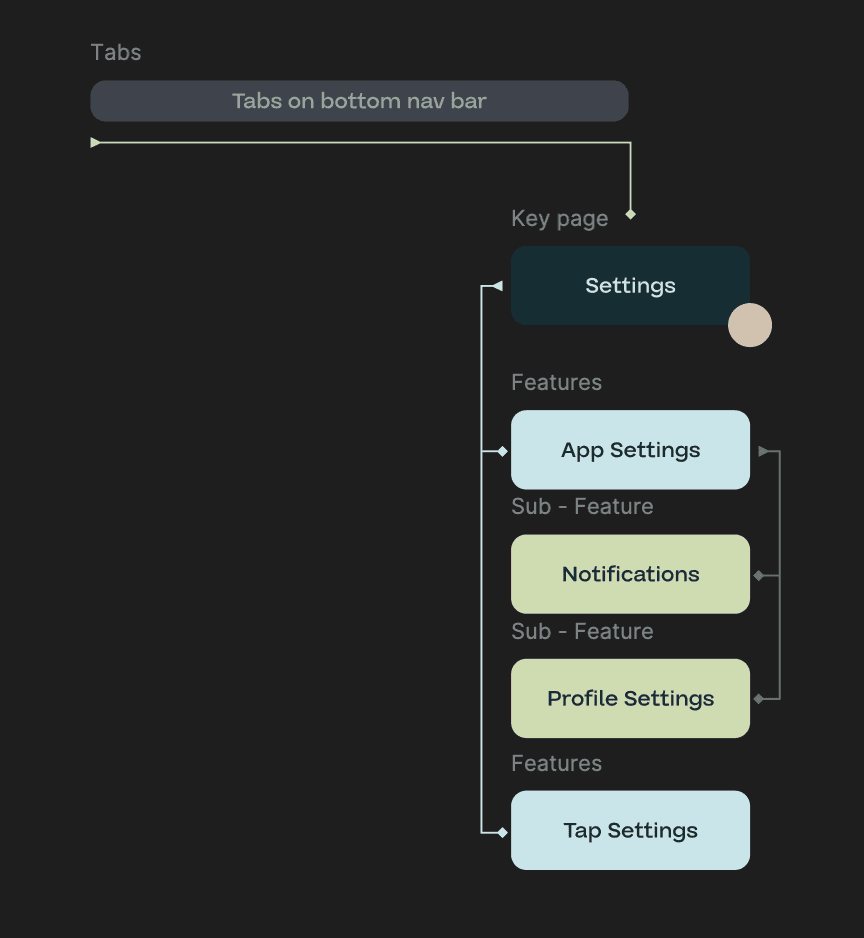
The settings stuff incuded things like deivce alerts, goal alerts settings, app settings where they can find support. Contact support page was required too, it went through iterations of being in several different spots

page_01.png

page_01.png

A parting gift

After the core UI work for both the oversink prototype and the companion app was in a good place, the team shifted into polish mode. That’s when my lead handed me a quick, high-stakes brief with a tight turnaround:

Create a luxury-leaning product landing page that sells the value of this smart tap and drives people to book an in-person appointment to experience it.

TOP HALF / BOTTOM HALF

landing_before.png — original state

landing_before.png — original state

Section Breakdown

Hero Section

A cinematic hero introduces Aquinox with a large centred wordmark and subtle play cue for intro video. “Where Design Meets Vitality” sets the tone, while a dominant “Visit us today” CTA drives action, supported by a softer secondary option to view all your favourite drinks on the tap.

Copywriting

“Every pour” tagline came from a thought I had about the use of taps in our everyday home. They are one of the top two appliances we use every day. Whether we’re cleaning, cooking, or hydrating, it’s part of almost every household task. Hence, this is why I went with it.

CTA / Conversion

The main CTA is aimed at encouraging users to go and demo a tap, with booking a time and place.

Every Pour,

Perfected

Experience the luxury of personal beverages. Customise pour size, ideal temperature, and preferred carbonation level with ease.

Every Pour,

Managed

Configurable profiles and manage the access your family has to beverages through Aquinox. Keep your family safe and healthy.

Every Pour,

Tracked

Check your and your families consumption across drinks and see patterns over the day, week and month.

How my work shifted the team's momentum

Even though I joined the project as the junior on the roster, the work I produced ended up anchoring a lot of the team’s momentum.

The high-fidelity screens brought a level of clarity and polish the project needed at that stage — suddenly, everyone could see the product we were aiming for, not just imagine it through rough wireframes.


[What did stakeholders say? Were there team dynamics that changed as a result of your contribution? Did your presence as a designer change how product decisions were made going forward?]

Momentum Moments

What Went Well

I was able to take loose, low-fidelity wires and elevate them into polished, premium UI without losing the original intent. I also shaped a fragmented sub-brand into something consistent, defining spacing, colour, gradients, and hierarchy so the product felt cohesive rather than pieced together.

What I'd Do Differently

I would participate in other design reviews more actively, regardless if I had only been a newbie on the project. A lot of decisions happened while designing, which worked, but meant revisiting and refining more than necessary. Understanding design rationale from my colleagues sooner would have made the build more efficient.

What I Learned

I levelled up in Figma, building prototypes with variables, conditional logic, and multi-state components that behaved like real flows. More importantly, I got sharper at reading user behaviour and turning it into UX decisions, not just visual fixes.

"I became more of a fixer by the end, playing an important role in wrapping up and polishing the prototype for the stakeholders"

Next Project

[ Next Case

Study Title ]

View Project ↗